For years, Workday Studio and SOAP-based architectures defined the integration landscape. However, as organizations transition toward more agile frameworks like Orchestrate and Extend, the Workday Graph API has emerged as a powerful alternative to traditional methods. While the shift from SOAP to GraphQL involves new terminology—such as queries and mutations—the efficiency gains and performance benefits are substantial, particularly in an era where flex credit consumption is a key consideration for API management.
Defining the Graph API Advantage
The Workday Graph API is a flexible framework that enables developers to query data or execute modifications (mutations) with surgical precision. Unlike REST or SOAP, which often return fixed data structures, Graph API allows you to define the exact response payload. Key features include:
- Customizable Responses: Retrieve only the specific fields required for your application, drastically reducing payload size compared to standard SOAP or REST responses.
- Multi-Data Source Aggregation: Combine related entities—such as Projects, Phases, and Tasks—into a single API call, eliminating the need for complex service chaining.
- Extend Object Support: Graph API natively supports Workday Extend objects, providing a unified interface for automating custom applications.
- Unified Mutations: Streamline data modifications by using mutations to handle both record creation and updates within a consistent syntax.
- Request-Response Chaining: Receive created object data immediately in the mutation response, bypassing the need for a secondary GET request.
Ultimately, Graph API acts as a dynamic gateway, adjusting its behavior and output based on the specific schema provided in the request. The attached technical guide can help you dive deeper into GraphQL.
Getting Started: Exploring the Graph API
To begin, it is essential to understand the two primary operations: Queries (read-only requests) and Mutations (write operations such as PUT or PATCH). The most effective way to explore these capabilities is through the Workday Developer site and the Graph API Explorer.
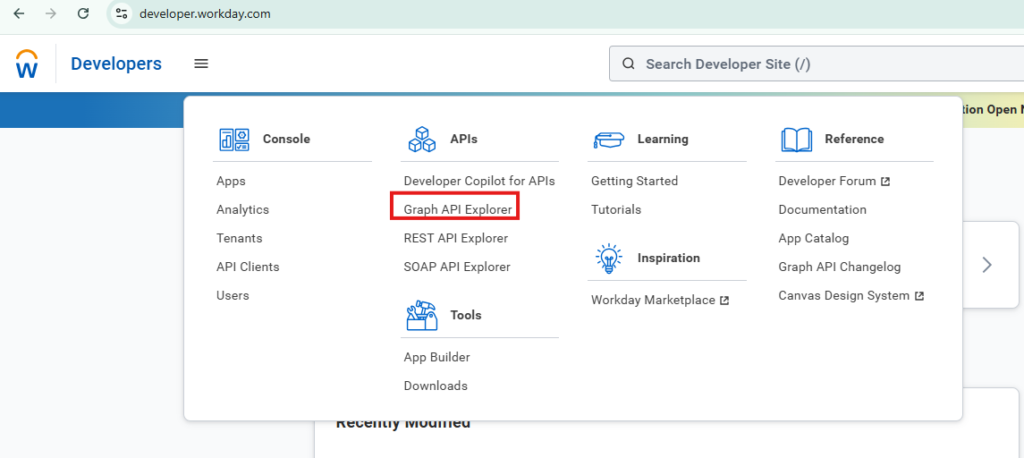
Access the Developer site at https://developer.workday.com/. Once authenticated, navigate to the Graph API Explorer to begin testing live queries against a tenant.
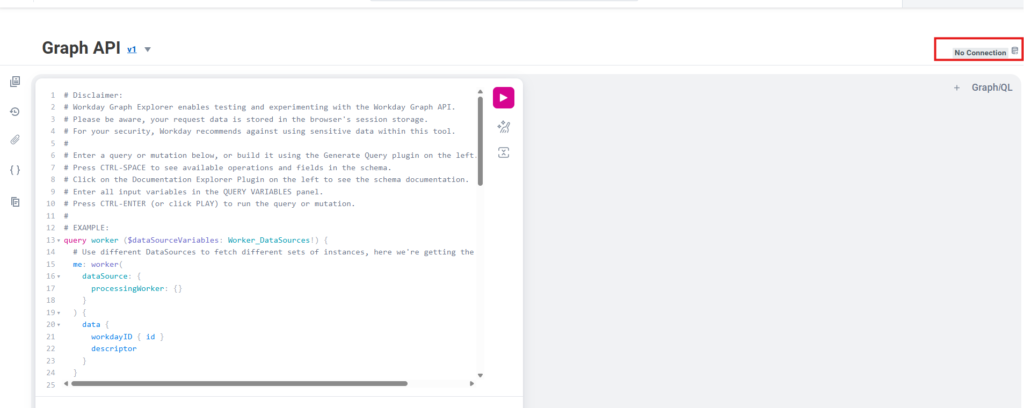
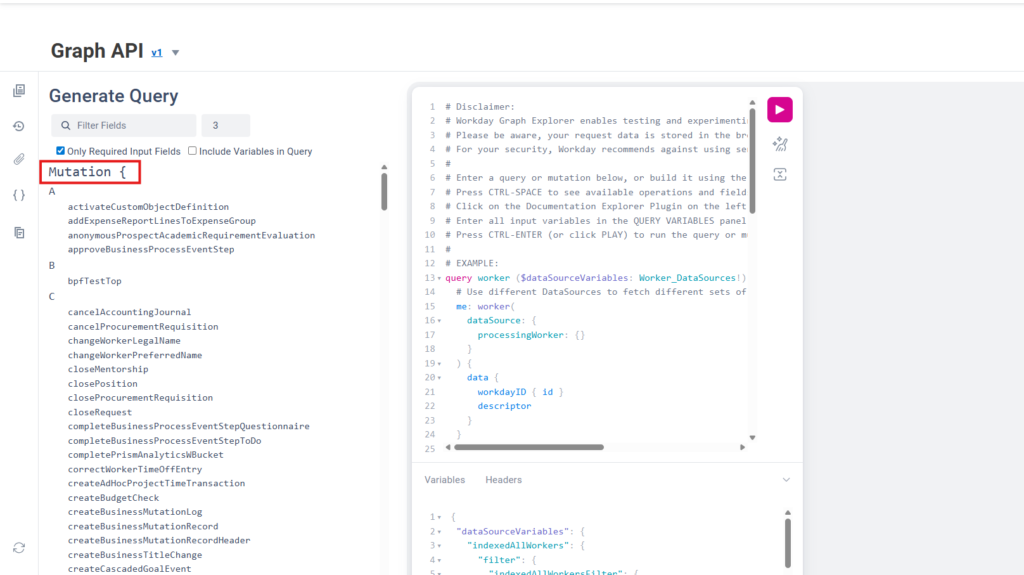
The Explorer interface allows you to connect to your tenant for active testing. Use the “Show Generate Query” feature to visualize available data sources and mutations.
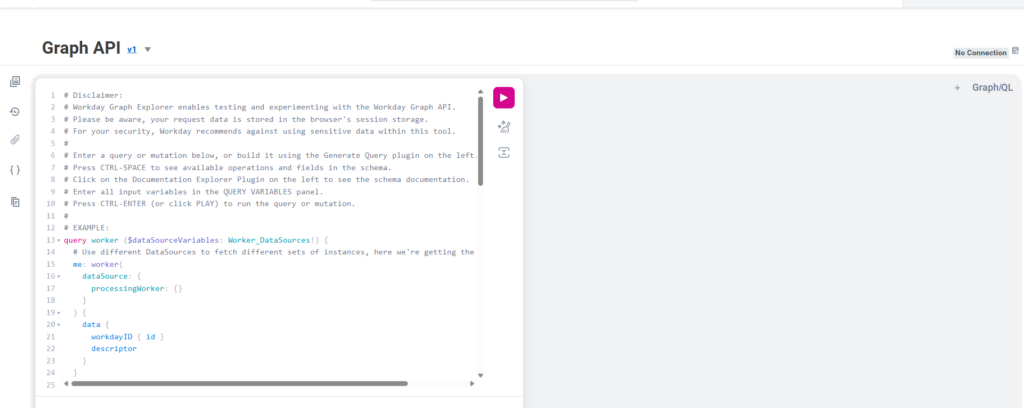
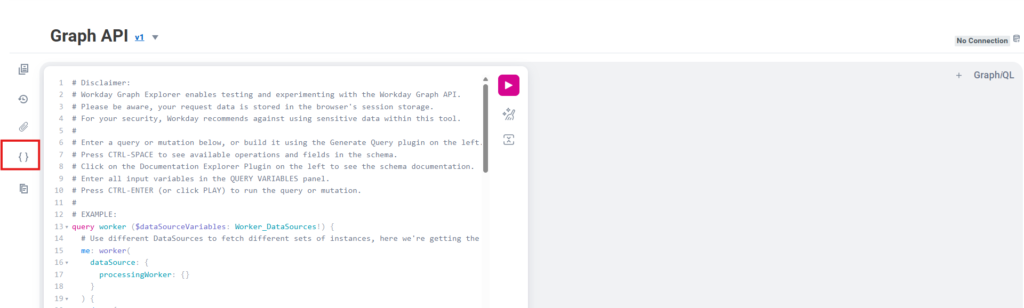
Within the query builder, mutations are listed first, followed by queryable data sources. Search functionality is available to help locate specific objects or fields.
Understanding Depth and Performance
A common use case involves retrieving time-off requests. Selecting the timeOffEntry data source will generate a query, but the complexity of this query depends on the specified “depth” level.
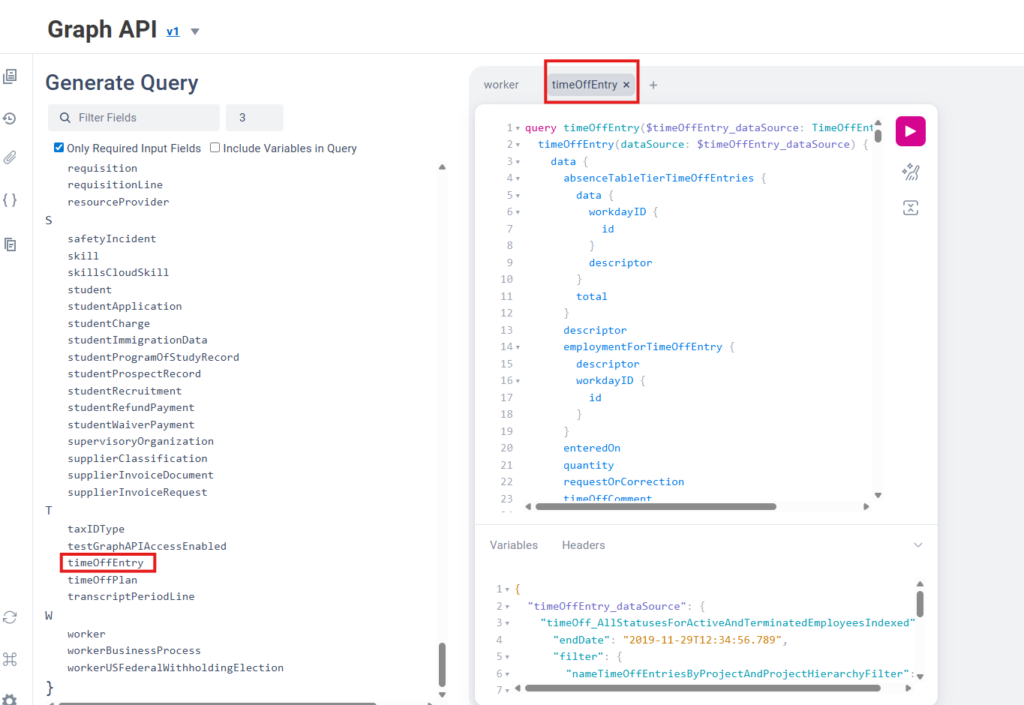
The graph depth determines how many levels of related objects are returned:
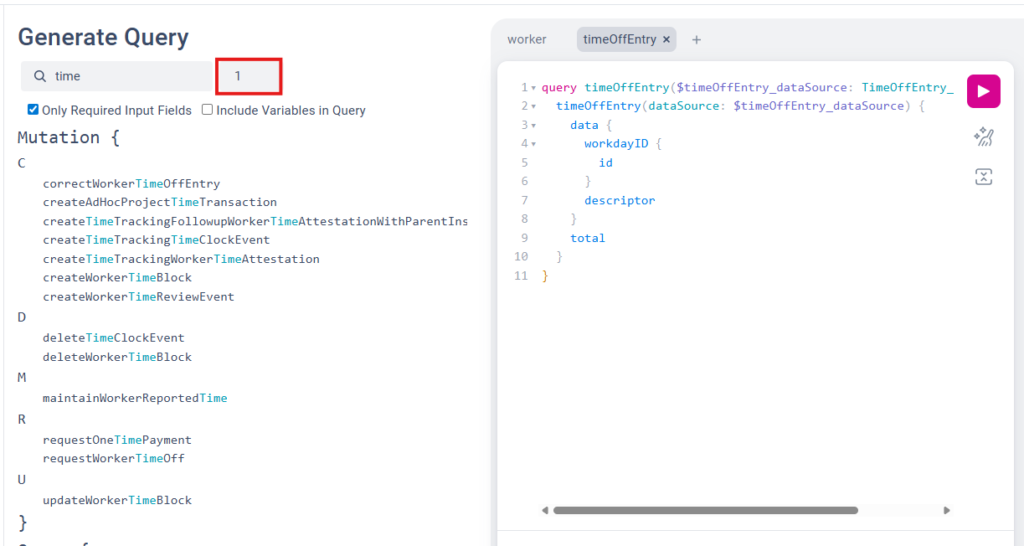
- Level 1: Returns the primary object and basic identifiers (e.g., WID and descriptor).
- Level 2: Expands the primary object to include all internal fields like reasons or dates.
- Level 3: Pulls in details from related objects (e.g., business process events). While comprehensive, increasing depth significantly increases the payload size.
Implementation Beyond the Explorer
To integrate Graph API into your external applications, utilize the following base URL: https://api.workday.com/graphql/v1. All requests should be sent as POST requests with the query and any variables included in the request body.
Authentication follows standard Workday REST protocols. For detailed instructions on OAuth configuration and API client registration, refer to the Workday Developer documentation.
Optimizing Flex Credit Consumption
Strategically using Graph API is one of the most effective ways to manage flex credit usage. By consolidating multiple object requests into a single Graph call, you can reduce the total number of API transactions by up to 50%.
Furthermore, reducing network overhead by requesting only necessary fields results in faster application performance. Consolidating calls and optimizing response payloads ensures that your integrations are both financially efficient and technically performant.